


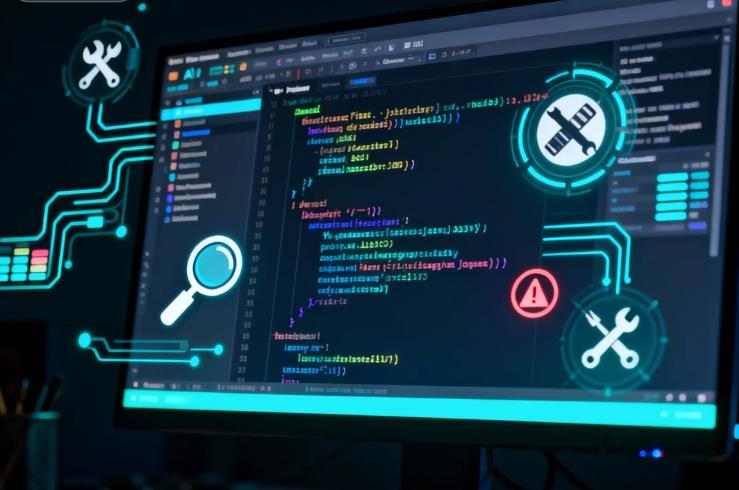

How Artificial Intelligence Is Transforming Software Debugging in 2025
Software bugs have always been one of the most expensive and time-consuming problems in the development lifecycle. From minor UI glitches to critical production failures, bugs cost the global software industry billions of dollars every year in lost revenue, security breaches, downtime, and developer productivity.
Traditionally, debugging has relied on manual code reviews, log analysis, breakpoints, and long hours of trial and error. But in 2025, a new generation of AI-powered debugging tools is dramatically changing how developers identify, analyze, and even automatically fix bugs faster than ever before.
This article provides a comprehensive, professional guide to AI debugging tools that find and fix bugs faster, covering:
- How AI is redefining debugging
- Core technologies behind AI-powered debugging
- Key categories of AI debugging tools
- Leading tools used by engineers in the US and Europe
- Real-world use cases and performance benefits
- Limitations, risks, and best practices
- How to choose the right AI debugging tool for your team
Whether you are a software developer, engineering manager, CTO, or SaaS founder, this deep dive will help you understand exactly how AI debugging tools can accelerate your workflow and improve software reliability.
Why Traditional Debugging Is No Longer Enough
Modern software systems are larger, more distributed, and more complex than ever:
- Microservices architectures
- Cloud-native and containerized applications
- Event-driven systems
- AI and data-intensive pipelines
- Multi-language codebases
Traditional debugging techniques struggle with:
- Scale – Millions of lines of code and thousands of services
- Speed – Continuous deployment requires instant feedback
- Complexity – Bugs often emerge from system interactions, not single functions
- Observability gaps – Logs and metrics often miss root causes
- Human fatigue – Manual debugging remains slow and error-prone
As development velocity increases, the cost of late bug detection skyrockets. This is where AI-based debugging delivers massive value.
What Are AI Debugging Tools?
AI debugging tools use machine learning, large language models (LLMs), static analysis, dynamic tracing, and pattern recognition to:
- Detect bugs automatically
- Predict faulty code before execution
- Identify root causes faster
- Suggest precise fixes
- Generate tests for verification
- Prevent regressions
Unlike traditional debugging tools that only observe execution, AI debugging tools learn from vast codebases, historical bugs, and runtime behavior to reason about failure causes and optimal fixes.
Core Technologies Powering AI Debugging
Understanding the underlying technologies helps explain why modern AI debugging tools are so powerful.
Large Language Models (LLMs)
Tools like GPT-based models analyze code like natural language:
- Understand syntax and intent
- Detect logical inconsistencies
- Propose fixes in human-readable form
- Translate stack traces into actionable explanations
LLMs power AI copilots and automated debugging assistants.
Static Code Analysis with ML
AI-enhanced static analysis goes beyond rule-based linters:
- Learns what “bad code” looks like from real-world repositories
- Detects unusual patterns linked to historical defects
- Flags risky code even if it compiles correctly
Dynamic Runtime Analysis
AI models analyze:
- Execution traces
- Performance profiles
- Memory usage
- Thread behavior
They detect anomalies that humans often miss in logs.
Symbolic Execution and Automated Reasoning
Some tools simulate code execution across thousands of possible paths to uncover hidden logical flaws.
Reinforcement Learning for Auto-Fixing
Advanced tools learn to apply fixes by repeatedly testing solutions in sandbox environments and selecting the optimal one.
Key Categories of AI Debugging Tools
AI debugging solutions broadly fall into several categories. Most enterprise tools combine multiple categories.
AI-Powered Code Review Tools
These scan code during pull requests and immediately flag:
- Logical errors
- Security vulnerabilities
- Race conditions
- Broken edge cases
- Inefficient algorithms
They act as tireless senior developers reviewing every commit.
AI Runtime Debugging and Observability Platforms
These operate in production and staging environments to:
- Detect crashes before users report them
- Pinpoint root causes across services
- Analyze logs, metrics, and traces with AI
AI Coding Assistants with Debugging Capabilities
These tools integrate directly into IDEs and can:
- Explain error messages
- Suggest fixes in real-time
- Auto-complete safer code
- Generate unit tests for failing functions
Automated Bug-Fixing Systems
The most advanced tools can:
- Detect defects
- Generate patches automatically
- Validate fixes via test suites
- Submit pull requests without human intervention
These are now used at scale in large enterprises.
Leading AI Debugging Tools in 2025
Below are some of the most widely adopted AI debugging tools used by developers and enterprises in North America and Europe. This list represents different categories and use cases.
GitHub Copilot Debugging & Copilot Workspace
GitHub Copilot has evolved far beyond code completion. Today it can:
- Analyze stack traces
- Explain runtime exceptions
- Generate bug fixes directly
- Refactor unsafe code
- Create regression tests
Its deep integration with GitHub repositories makes it one of the most powerful AI debugging assistants for mainstream developers.
Snyk Code and Snyk AI
Snyk uses AI-driven static analysis to detect:
- Security flaws
- Logic bugs
- Vulnerable dependencies
Its AI engine understands developer intent and reduces false positives — a major problem with traditional scanners.
CodeQL with AI Enhancements
Used heavily by enterprise security teams, CodeQL combines semantic code analysis with AI to uncover:
- Deep logic flaws
- Injection vulnerabilities
- Dangerous API misuse
It is especially powerful for auditing massive monorepos.
Datadog AI for Debugging and APM
Datadog leverages AI across:
- Application Performance Monitoring
- Log analysis
- Error tracking
- Root cause isolation
Its anomaly detection models can identify performance regressions and error spikes before customers are impacted.
Sentry with AI Issue Resolution
Sentry’s AI features automatically:
- Group related errors
- Identify breaking changes
- Suggest mitigation strategies
- Surface performance bottlenecks
It drastically reduces alert noise in production debugging.
DeepCode by Snyk (AI Code Intelligence)
DeepCode analyzes millions of open-source projects to build an enormous knowledge base of real-world bugs and fixes. It offers:
- Context-aware suggestions
- High-precision bug detection
- Inline explanations
Amazon CodeGuru
Designed for cloud-native systems, CodeGuru:
- Reviews code automatically
- Detects API misuse
- Identifies performance bottlenecks
- Suggests AWS-specific optimizations
It is especially valuable in large-scale AWS microservice environments.
Replit AI Debugger
Popular with startups, educators, and rapid prototyping teams:
- Instantly explains runtime errors
- Suggests fixes in real-time
- Simulates alternative implementations
- Guides beginner and mid-level developers through debugging sessions
How AI Debugging Tools Find Bugs Faster
AI debugging achieves speed improvements through several mechanisms:
Continuous Background Analysis
Unlike human reviewers, AI tools scan code perpetually:
- Every commit
- Every dependency update
- Every deployment
Bugs are often caught before code is ever merged.
Automated Pattern Matching at Scale
AI recognizes bug patterns across millions of code samples:
- Off-by-one errors
- Null pointer dereferences
- Race conditions
- Memory leaks
- Broken async flows
Manual debugging rarely benefits from such massive pattern memory.
Context-Aware Root Cause Analysis
Traditional tools highlight symptoms. AI systems:
- Correlate logs with recent code changes
- Track propagation across services
- Analyze historical failures
This shortens mean time to resolution (MTTR) dramatically.
Automated Hypothesis Testing
Some AI debuggers generate and test multiple fix hypotheses automatically, selecting the best working solution through sandbox execution.
How AI Debugging Tools Fix Bugs Automatically
The most transformative change is not just finding bugs, but fixing them.
Patch Generation
LLMs generate candidate patches based on:
- Error messages
- Test failures
- Code context
- Known vulnerability patterns
Test-Driven Auto-Repair
Many tools:
- Create failing test cases from the bug
- Apply candidate fixes
- Re-run test suites
- Only accept fully passing patches
Dependency-Level Fixes
AI systems can:
- Identify vulnerable library versions
- Recommend safe upgrades
- Automatically update dependency trees
Real-World Use Cases
SaaS Platforms
AI debugging is widely used to:
- Detect memory leaks in production
- Optimize slow database queries
- Prevent authentication failures
- Protect against zero-day vulnerabilities
Fintech and Banking
Financial institutions apply AI debugging to:
- Detect logic flaws in transaction systems
- Prevent data corruption
- Audit security risks automatically
E-Commerce Systems
AI debugging helps:
- Prevent checkout failures
- Optimize payment flows
- Reduce cart abandonment due to runtime errors
Game Development
Studios rely on AI debugging to:
- Analyze crash dumps
- Detect GPU bottlenecks
- Stabilize multiplayer networking
Productivity and Business Impact
Organizations adopting AI debugging consistently report:
- 40–70% faster bug detection
- 30–60% reduction in manual debugging time
- Significant reduction in production incidents
- Lower developer burnout
- Higher release confidence
For large organizations, this translates to millions of dollars in annual cost savings.
Limitations and Risks of AI Debugging
Despite its power, AI debugging is not perfect.
False Positives and Noise
Even advanced models can:
- Flag safe code as risky
- Miss rare edge-case bugs
- Overgeneralize from training data
Over-Reliance on Automation
Blindly accepting AI patches without review can:
- Introduce subtle logical errors
- Reduce institutional knowledge
- Hide architectural flaws behind quick fixes
Security and IP Concerns
Cloud-based AI tools may:
- Process proprietary source code
- Store sensitive logs
- Create compliance risks for regulated industries
Limited Understanding of Business Logic
AI understands syntax and patterns — not necessarily business intent. Mission-critical financial or medical logic still requires human validation.
Best Practices for Using AI Debugging Tools Safely
- Always review AI-generated patches manually
- Use AI as a co-pilot, not a replacement
- Combine static and runtime AI tools
- Integrate with CI/CD pipelines
- Maintain strong test coverage
- Apply role-based access to AI debugging platforms
- Log and audit AI-suggested changes
How to Choose the Right AI Debugging Tool
When evaluating AI debugging software, consider:
Language and Framework Support
Ensure support for:
- Your primary languages (JavaScript, Python, Java, Go, C#, etc.)
- Frameworks (React, Spring Boot, Django, .NET, etc.)
Integration Capabilities
Look for:
- IDE plugins (VS Code, JetBrains)
- GitHub, GitLab, Bitbucket
- CI/CD pipelines
- Cloud platforms (AWS, Azure, GCP)
Deployment Model
Options include:
- SaaS (cloud-based)
- On-premise
- Hybrid
Regulated industries often require on-prem solutions.
Accuracy and False Positive Rates
Low signal-to-noise ratio is critical for developer adoption.
Compliance and Security
Check:
- SOC 2
- GDPR
- ISO 27001
- Data retention policies
The Future of AI Debugging
By 2026–2028, we will likely see:
- Self-healing production systems
- Fully autonomous bug-fixing pipelines
- AI agents coordinating debugging across microservices
- Continuous AI-driven code quality enforcement
- Predictive debugging that fixes bugs before they ever occur
AI debugging will evolve from a support tool into a core component of software reliability engineering.
AI debugging tools that find and fix bugs faster are no longer an experimental curiosity — they are becoming a standard requirement in modern software development. By combining pattern recognition, large codebase learning, runtime observability, and automated patch generation, these tools are fundamentally reshaping how engineering teams build, test, and maintain software.
For startups, they unlock rapid iteration with fewer failures. For enterprises, they deliver massive cost savings, higher system reliability, and reduced operational risk. For developers, they mean fewer sleepless nights chasing elusive production bugs and more time spent building meaningful features.
The future of debugging is intelligent, automated, and continuous. And that future is already here.